Digital takeoff software for builders
Measure quantities straight off a plan or sketch - then send them into your estimate.
Set aside rulers, calculators and spreadsheets. With MyConstruct's Graphical Takeoff (GTO) tool, it's faster to develop accurate estimates. Available to Pro tier users, it supports PDF plans and common image formats, and setting the plan scale is easy. Detailed plans aren't even necessary - photograph a rough sketch and use a known measurement to produce quantities.
Because tools are tightly integrated, export takeoff quantities to the estimating tool. Use inventory items or recipes to trace plans, then create accurate quotes and send purchase orders or RFQs for pricing.
Fast takeoffs help you quote sooner and reduce the risk of missing items. Measure quantities, sanity-check assumptions, and keep everything connected to your estimate.
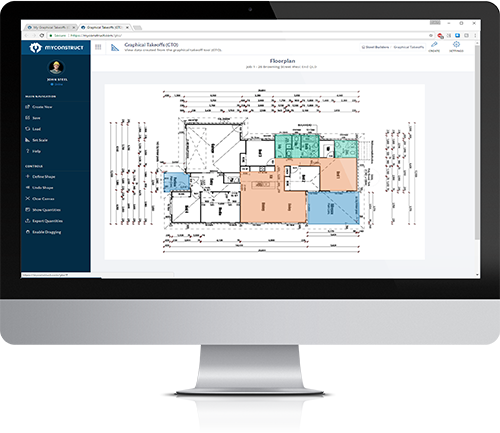
Acting fast helps land clients, and rapid takeoffs give you an edge on slower competitors. Share information with your team easily - every staff member with a connected device can load information and send updates. Australian-hosted servers keep loading fast for smooth job management.
Takeoffs, answered.
MyConstruct supports takeoffs from PDF plans and common image formats, so you can measure and quantify from the documents you already receive.
Set the plan scale using a known measurement so quantities are accurate, then export the results straight into your estimate.
Run every job in one place.
Software that grows with your business.